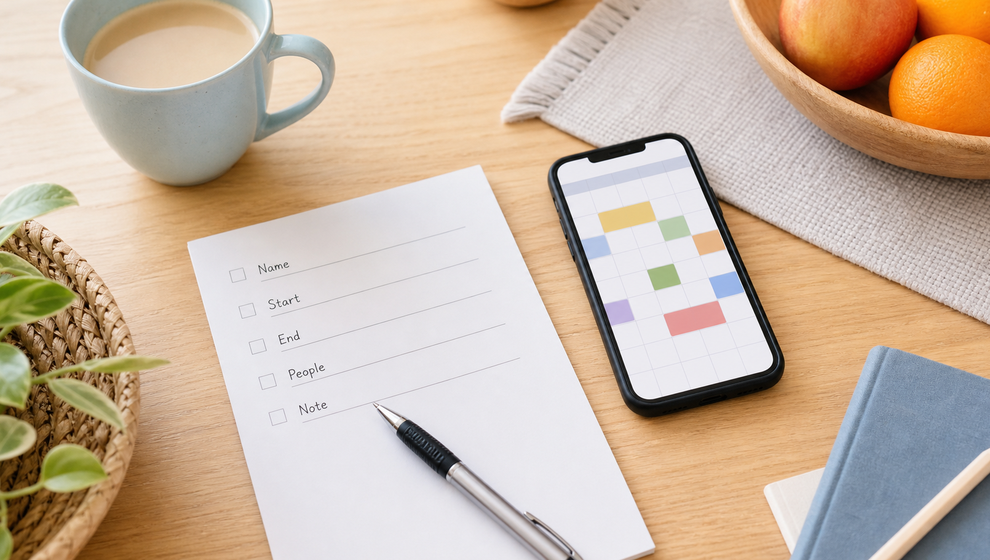
An upcoming school activity, dinner, appointment, or trip can begin as a quick agreement: “Saturday afternoon works.” The useful next step is to give that agreement enough detail that someone can refer back to it later. What would one upcoming plan look like if you wrote down its name, time, the people involved, and any detail that matters?
That is a modest event-planning habit, but it is a practical one. It turns a spoken plan into a reference with clear basics instead of relying on memory or a message thread.
Why the basics matter for a known plan
Families have long looked for a place to keep schedule information. In a 2007 Microsoft Research survey of 621 respondents, researchers reported that participants wanted one place for calendar information and easier coordination of household schedules. That survey is older, and it was not about Shareday. Still, it offers a useful planning observation: when a plan is already agreed, recording its basic details gives the household something concrete to consult.
The goal is not to build a perfect system for every possibility. It is to capture the information you already know about one time-bound plan.
For example, an event planning calendar entry for a school concert might start with only four questions:
- What is the event called?
- When does it start, and when does it end?
- Which people or child profiles are relevant?
- Is there a useful note to keep with the plan?
Those questions also work for an appointment, family dinner, day trip, or other item in a family schedule. They keep the entry focused on the plan itself rather than adding details that have not been decided.
A four-part checklist for one family Event
When you create an Event in Shareday, the documented fields line up with this simple checklist.
1. Give the plan a clear title
Use a name that helps distinguish the plan at a glance: “Jordan’s school concert,” “Grandma’s dinner,” or “Saturday museum visit.” A specific title is usually more helpful than a broad label such as “Plans.”
2. Add the start and end time you know
Include both the start time and end time for the Event. A time range can make an entry easier to recognize when it appears on the family calendar. If the end time is still unknown, it may be better to return and edit the Event once that detail is settled than to guess.
3. Assign the relevant people
Shareday Events can be assigned to no one, one person, multiple people, all relevant family members, or child profiles. Use the option that reflects the plan you are recording. Assignment is a way to describe who the Event concerns; it is not a claim that Shareday sends an invitation or makes attendance decisions.
4. Keep a note for the details worth preserving
The notes field is a place for a known detail you want attached to the Event. That could be “bring blue folder,” “meet at the east entrance,” or “dinner begins after the game.” Keep the note factual and useful. It does not need to become a full itinerary.
Together, these pieces make one plan easier to recognize in a family planner calendar: a name, a time range, relevant people, and a note when one helps.
Put the agreed plan where you can refer to it
Shareday describes Events as planned family items for time-bound plans. You can create, edit, or delete an Event, set its title, start time, end time, and notes, and choose the relevant assignment. Events display on the Family Calendar.
That makes the checklist above a practical way to record an agreed plan in Shareday. It does not mean the app finds the right time, resolves competing plans, books anything, or fills in missing details. The family still decides what the plan is; the Event is where its known basics can be written down.
If you use a weekly family planner to look ahead, choose one upcoming plan that is still living mostly in conversation. Add it as an Event with the details you know, then edit it if the plan changes.
A context-specific reminder about practical details
Utah State University Extension offers summer co-parenting guidance that recommends a schedule covering camps and events, including practical timing and location details. That advice is written for a particular co-parenting context, so it is not a rule for every household. Its narrow planning principle is still useful: time-bound events are clearer when their practical details are recorded rather than left vague.
For a Shareday Event, stay within the details the Event supports: the title, start time, end time, relevant people, and a note. If a location or handoff detail is already known, it may be written in the notes field. This article does not treat an Event as legal, custody, handoff, or parent-communication support.
Start with the next plan, not the whole month
You do not need to convert every family plan at once. Pick the next event that has already been agreed—a recital, a dinner, an appointment, or a trip—and use the checklist:
- Write a clear title.
- Add the start and end time.
- Select the people or child profiles the plan concerns.
- Add one useful note, if there is one.
Then look for it on the Family Calendar. The habit is deliberately small: record one known plan well, then repeat when another time-bound plan comes up.
Frequently asked questions
What should I put in a Shareday Event?
Use the Event title, start time, end time, relevant assignments, and notes for the details you already know about a time-bound family plan. Shareday Events can then display on the Family Calendar.
Can I update an Event when plans change?
Yes. Shareday documents that Events can be created, edited, and deleted. Update the Event details to reflect the plan you decide on.
Does an Event organize every part of a family plan?
No. An Event records the documented details you enter. This article does not suggest that it automatically schedules, invites people, detects conflicts, sends reminders, or manages travel, bookings, or family agreements.
The next time a plan is agreed, try writing down the place in your own words, the time range, and the right people. Which upcoming family plan would be easier to refer to once those basics are in one Event?