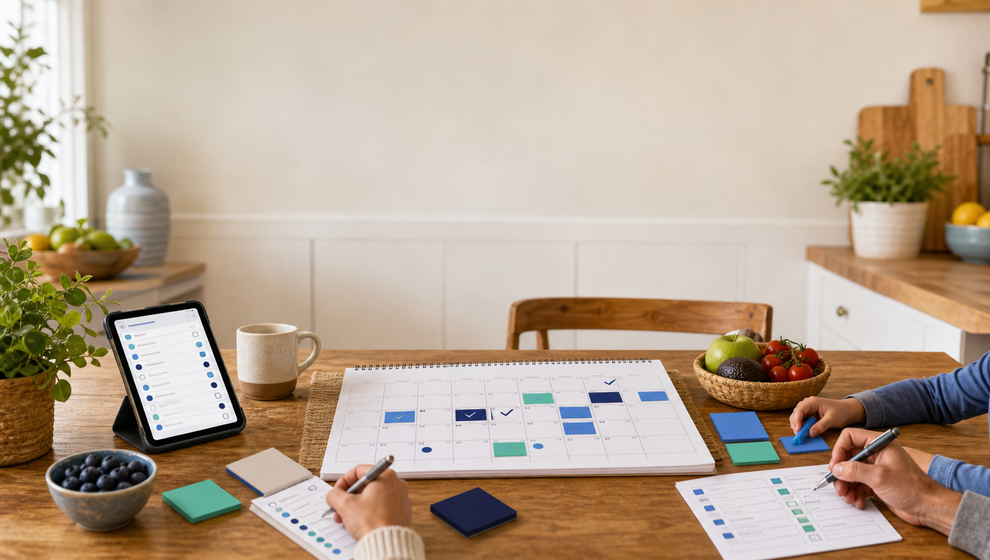
Busy family calendars usually start in separate places.
One parent has work meetings in Google Calendar. Another keeps appointments in Apple Calendar. A school event lands in an email. A birthday gift idea sits in a notes app. The shopping list is in a message thread. The task no one has claimed is still floating around in somebody’s head.
That is normal. It is also why the family calendar needs a different job from a personal calendar. Your personal calendar can keep your own commitments straight. A family calendar should help the household understand what affects everyone, who owns what, and what still needs a decision.
That does not mean Google or Apple calendars have to disappear. For many families, they will stay in the mix. The useful shift is deciding that one shared family planning space is the source of truth for family-impacting plans.
What “source of truth” means for a family calendar
A source of truth is not just the calendar with the most appointments. It is the place the family checks when someone asks, “What is happening, who is responsible, and what do we still need?”
For family life, that usually includes more than events. A complete plan may need:
- the event itself, such as a school meeting, practice, trip, dinner, or appointment;
- the task that prepares for it, such as packing a bag or calling a teacher;
- the shopping list connected to it, such as groceries, supplies, candles, or gifts;
- the birthday or special date that explains why the plan matters;
- the person or people responsible for each part.
This is where a shared family calendar earns its place. It can turn scattered reminders into a visible household plan. In Shareday, the Family Calendar is built around planned family items: Events, Tasks, Shopping Lists, and Birthdays where available in the calendar flow. Family members can be visible as planning actors, items can be assigned, and the calendar can be filtered by family member or child profile. That matters because the question is rarely only “What time is it?” More often, it is “Who is taking care of this?”
Why personal Google or Apple calendars are not enough on their own
Google and Apple calendars are useful. They are familiar, they work across devices in their own ecosystems, and they help people keep individual schedules organized. Google also documents google calendar family sharing as a way for signed-in family members to use a dedicated family calendar. Apple documents iCloud calendars that can stay updated across devices and be shared with other people using view or edit permissions.
Those habits are worth respecting. If your family already relies on personal Google or Apple calendars, the goal is not to pretend those habits do not exist.
The gap is that personal calendar systems are usually event-centered. They can show a dentist appointment or soccer practice, but they do not automatically answer the broader household questions:
- Has someone packed the form?
- Who is buying the snack?
- Is the gift list connected to the birthday?
- Which tasks are still unassigned?
- What does one child or one parent have this week?
- Did the shopping list move with the plan?
A family organization app has to carry that extra layer of responsibility. The calendar is still central, but it needs nearby structure for tasks, lists, assignments, and family-specific context.
Keep outside calendars as inputs, not the household authority
The cleanest mental model is simple: outside calendars can be inputs, while the family calendar is the family decision layer.
An outside calendar may hold a work block, a school subscription calendar, or a personal appointment. The shared family space should hold the plans that the household needs to act on together. If a work meeting affects pickup coverage, the family-impacting part belongs in the family plan. If a birthday requires gift ideas and a shopping list, that work belongs somewhere more practical than a standalone event title.
Shareday supports calendar and sync infrastructure for cross-device family planning. The Product Overview describes backend-synced family planned items, local-first iOS planned-item storage and mutation outbox, backend rehydration after sync/websocket events, account-level calendar connection and settings surfaces where available, Google Calendar integration contracts for supported import/export flows where enabled, and Apple Calendar settings/import/export flows where enabled by platform permissions.
That wording is intentionally cautious. It does not mean every family will have universal two-way sync across every account, or that third-party updates are guaranteed to appear in real time. It means Shareday can fit into a mixed-calendar household without making the family plan depend on unsupported assumptions.
What research and practical advice agree on
Family calendars have been studied as coordination tools for a long time. A foundational family-calendar study by Carman Neustaedter, A. J. Bernheim Brush, and Saul Greenberg looked at calendaring routines across 44 families and described the calendar as a tool for household awareness and coordination.
More recent HCI work is still treating digital family calendars as an active design problem, including for household structures such as blended families. Because the publicly available FamilyCanvas page provides metadata rather than full study findings, the useful takeaway should stay narrow: family calendar design still needs to account for real household structures, access patterns, and shared awareness.
Practitioner guidance points in the same direction from a different angle. Asian Efficiency’s family-calendar advice frames an effective calendar around being complete, accessible, visible, and reviewed regularly. That is opinion, not proof of a guaranteed outcome, but it is a practical standard busy families can use.
Taken together, the useful lesson is not “the calendar solves everything.” It is that the plan needs to be visible enough for people to coordinate around it.
How Shareday turns the calendar into a planning space
A family calendar app becomes more useful when it connects the plan to the work around the plan.
In Shareday, Events are time-bound plans. Tasks cover responsibilities, errands, chores, reminders, and other actions. Shopping Lists can be planned family items for purchases and errands. Birthday-linked Shopping Lists can appear as normal planned Shopping List cards, so gift ideas and purchase progress can stay connected to the date instead of drifting into a separate thread.
That structure helps with everyday questions:
- If an event needs preparation, create the task near the plan.
- If someone needs to shop, make the shopping list visible as a planned item.
- If responsibility is unclear, leave an item unassigned until the family decides.
- If one person is overloaded, use member filters to look at that person’s calendar view.
- If a family member needs the whole picture, keep the shared calendar as the place to check first.
This is the difference between storing appointments and managing family coordination. The first keeps dates. The second makes ownership easier to see.
A practical rule: put family-impacting plans in Shareday
You do not need to move every personal commitment into the family planning space. A private focus block, a solo reminder, or a personal subscription calendar may not need the household’s attention.
Use this rule instead:
If another family member may need to know it, prepare for it, buy something for it, attend it, cover for it, or take responsibility for part of it, put it in the shared family calendar.
That rule keeps the family source of truth from becoming cluttered while still making the important plans visible. A work trip may need to appear because it changes childcare coverage. A doctor’s appointment may need to appear only as a time block if the household needs pickup coverage, without adding private details. A birthday belongs because it can connect to reminders, gift ideas, and a shopping list. A school project deadline belongs if tasks or supplies need to be assigned.
How to review the family calendar without turning it into a meeting
A recurring review habit helps because a calendar gets stale when no one is responsible for maintaining it. The review does not have to be formal.
Once or twice a week, open the family calendar and check:
- What events affect the household this week?
- Which tasks are assigned, and which are still unassigned?
- Which shopping lists are connected to upcoming plans?
- Are birthdays or gift ideas coming up?
- Does one parent, caregiver, or child profile have too much clustered on the same day?
- Is anything important still trapped in a personal Google or Apple calendar?
The goal is not perfect administration. The goal is to catch the plans that would otherwise become last-minute messages.
Where Google and Apple still fit
Google and Apple calendars can remain useful for individual routines, work commitments, school calendars, and broader cross-device habits. Families should not have to abandon tools that already work for part of the job.
The key is deciding what each tool is responsible for. Personal calendars can stay personal. Platform family calendars can provide context where your household already uses them. Shareday can be the shared family planning space where events, tasks, shopping needs, birthdays, assignments, and family member views come together.
When Shareday calendar connection, import, or export flows are available for your setup, use them as a bridge. When they are not available or not appropriate for a certain account, keep the principle the same: the family-impacting plan should be reflected in the shared family calendar so the household knows what to do.
FAQ
Is a shared family calendar different from a personal calendar?
Yes. A personal calendar helps one person manage time. A shared family calendar should help the household coordinate events, responsibilities, shopping needs, birthdays, and ownership across family members.
Do Google or Apple calendars need to be replaced?
No. Many families already use them, and they can stay useful for personal schedules or outside calendar context. The important decision is where the family treats the household plan as final.
Can Shareday automatically sync every Google or Apple calendar?
This article does not make that claim. Shareday’s Product Overview supports cautious language around account-level calendar connection/settings surfaces where available, Google Calendar import/export flows where enabled, and Apple Calendar settings/import/export flows where enabled by platform permissions. It does not support a universal sync promise.
What belongs in the family source of truth?
Put plans there when another family member may need to know about them, prepare for them, buy something, attend, cover a responsibility, or take ownership. That includes many events, tasks, shopping lists, birthdays, and shared responsibilities.
Why use a family organization app instead of only a calendar?
Because family planning often includes work around the event. A calendar can show the appointment. A family organization app can also keep related tasks, assignments, shopping lists, and family member views close to the plan.
The point is not more calendars. It is one family answer.
Most families do not need another place to check. They need one reliable place for the plans that affect the household.
Google and Apple calendars can still help with personal routines and outside context. But when the question is “What is the family doing, who owns it, and what still needs to be prepared?” the answer should live in one shared family calendar.
That is how the calendar becomes more than a list of dates. It becomes the family planning surface everyone can return to when the week gets busy.