Busy families rarely struggle because no one has heard of meal planning. The hard part is turning good advice into a dinner plan that everyone can actually see, share, and act on.
Three common ideas show up across practical meal-planning guidance: choose meals before the last minute, connect those meals to a grocery list, and make responsibility visible. RWJBarnabas Health frames planning ahead, favorite meals, grocery lists, and delegated tasks as ways to reduce the pressure of deciding from scratch. TriState Health recommends starting with a weekly menu, involving kids where it makes sense, and tying the shopping list to the menu. Berry Street adds a useful first step: check the household schedule before picking recipes, then keep the plan realistic and flexible.
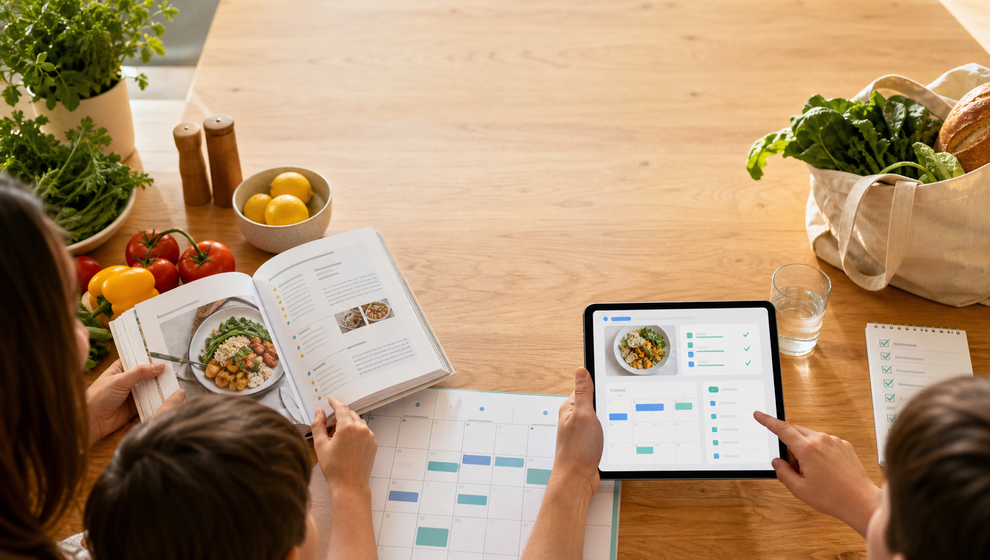
In Shareday, that advice can become one concrete flow: save a recipe, schedule it as a normal Family Calendar Event, invite or assign the right family members, and create a linked Shopping List from the recipe ingredients.
Start with the calendar, not the recipe
Good family meal planning starts with the week you actually have, not the week you wish you had.
Before choosing a dinner, look at the Family Calendar and ask a few practical questions:
- Which night has enough time for cooking?
- Who will be home for dinner?
- Who can shop before that meal?
- Does this need to be a simple repeat meal instead of something new?
This is where the idea of a weekly meal planner with grocery list can be useful without turning dinner into a full planning project. You do not need to map every breakfast, lunch, and dinner to make progress. A realistic first step is choosing one dinner, putting it on the shared calendar, and connecting the ingredients to the shopping list.
That smaller move is often easier for a busy parent or family coordinator: one recipe, one dinner event, one grocery list, and a clear owner for shopping.
Save the meal where the family can find it again
Meal-planning articles often recommend keeping a list of favorite meals. In Shareday, the Family Recipes area gives the family a shared recipe catalog for that job.
A family member can create a recipe manually or import a recipe draft from a URL where supported. The recipe can include the title, source information, ingredients, instructions, and a hero photo where available. Once saved, it becomes part of the shared family recipe catalog instead of living only in one person’s browser tab, note, or memory.
That matters for repeat dinners. If Tuesday pasta, sheet-pan chicken, or taco night works for your household, it should be easy to find again. A shared recipe catalog keeps the usable meal idea close to the family plan.
For a family comparing a family meal planning app, this is the practical distinction to look for: not just a place to store inspiration, but a way to move from recipe to calendar and shopping.
Turn the recipe into a dinner event
Once the recipe is saved, Shareday lets a family member plan it onto the Family Calendar as a normal Event.
That detail matters. The dinner does not sit in a separate recipe-only area where people forget to check it. It becomes part of the same calendar where the family already sees planned items by day and time.
A simple flow looks like this:
- Open the recipe.
- Choose to plan it.
- Select the date and time for the meal.
- Assign or invite the relevant family members or child profiles.
- Create the Shopping List from the recipe ingredients during the same planning flow.
Now the recipe has a place in the family’s schedule. The person cooking can see the dinner event. The person shopping can see the ingredient list. Family members included in the plan can see where they fit.
Make responsibility visible
Most meal plans break down at the handoff: someone chose dinner, but no one knows who is buying ingredients, who is expected at home, or whether the list has been handled.
Shareday’s planning model helps by making people part of the event and list. Events can be assigned to no one, one person, multiple people, all relevant family members, or child profiles. Shopping Lists can also be assigned in the family planning flow.
This keeps the plan specific. Instead of “we should make this sometime,” the family gets a scheduled dinner with the right people attached. Instead of “we need groceries,” the family gets a list connected to the recipe ingredients.
The goal is not to make dinner rigid. It is to make the current plan visible enough that someone can adjust it when life changes.
Create the grocery list from the recipe ingredients
A meal planner with grocery list is useful when the list comes from the meal you actually plan to cook. In Shareday’s recipe planning flow, the family can create a linked Shopping List from the recipe ingredients.
The assigned shopper can open the generated Shopping List and mark ingredient purchases as completed. That keeps grocery progress connected to the dinner plan instead of splitting the recipe in one place, the calendar in another, and the grocery list somewhere else.
Shareday should not be treated as a nutrition planner, diet tool, or automatic grocery-budget system. The safe, documented value here is coordination: a recipe-linked Event and a recipe-linked Shopping List stay connected to the recipe while that recipe exists.
If the planning flow supports servings or ingredient adjustments, handle that before the list is generated. If it does not, keep the list simple and edit it like any other family shopping list.
Keep the plan flexible
Berry Street’s advice to keep meal plans flexible fits family life well. A shared dinner plan should help the family adapt, not create another thing to feel behind on.
If the day changes, the dinner event can be updated like a normal Family Calendar Event. If someone else needs to shop, the Shopping List can be assigned accordingly. If the family cooks the meal and wants to remember how it went, cooked feedback such as status, comment, or photo may be available where supported.
This is also why starting with one dinner is useful. A recipe and grocery list app does not need to solve the whole week at once to be helpful. For many families, the real win is making tonight or Thursday visible enough that the last-minute decision does not fall on one person alone.
A simple Shareday dinner-planning checklist
Use this when you want to turn meal-planning advice into one shared family action:
- Check the Family Calendar before picking the meal.
- Choose a realistic recipe for that night.
- Save or review the recipe in Family Recipes.
- Plan the recipe as a Family Calendar Event.
- Invite or assign the relevant family members or child profiles.
- Create the linked Shopping List from recipe ingredients.
- Assign shopping responsibility.
- Mark ingredient purchases as completed as shopping gets done.
- Adjust the event or list if the family plan changes.
This keeps the planning loop small: recipe, calendar, people, groceries.
FAQ
Is Shareday an automatic weekly meal planner?
No. This article uses weekly meal planner with grocery list as a practical search-intent bridge because many families look for help connecting meal ideas to shopping. The documented Shareday flow here is narrower and more concrete: save or review a recipe, plan it as a Family Calendar Event, invite or assign the right people, and create a linked Shopping List from ingredients.
Can Shareday import recipes from websites?
Shareday can import recipe drafts from a URL where supported. A family member should still review the title, source, photo, ingredients, and instructions where available before saving the recipe into the shared catalog.
Can kids be part of the dinner plan?
Shareday supports assigning or inviting family members or child profiles during recipe planning. The article does not make child-safety, school-performance, nutrition, or habit-change claims. The safe use case is family coordination: making the dinner event and related responsibilities visible.
What happens after the shopping list is created?
The recipe-linked Shopping List is created from the recipe ingredients during planning. The assigned shopper can open it and mark ingredient purchases as completed. The linked Event and Shopping List stay connected to the recipe while the recipe exists.
What makes this different from keeping recipes in notes?
Notes can store a recipe, but they usually do not connect the meal to the family calendar, invited people, and a shopping list. Shareday’s relevant flow connects those pieces so the meal can move from idea to scheduled dinner to grocery action.