When a week gets busy, choosing a dinner from a recipe list can be the easy part. The harder question is often: which evening can the household actually use? A practical approach to family meal planning is to answer that calendar question first, then decide what meal belongs in the available slot.
The American Heart Association’s meal-planning guidance suggests looking at work and activity schedules before choosing days when people can join a meal. That advice is a useful starting point because it works with the week that already exists. It is not a promise that every dinner will happen as planned; it is simply a way to make the next planning decision more realistic.
Find an evening before you choose the meal
Open the household schedule and look for a dinner window that is genuinely usable. You might be checking start and end times for activities, a late work evening, or an already-full day. The goal is modest: choose one date and time that the household wants to reserve for a meal.
This changes the order of decisions. Instead of starting with a recipe and trying to force it into the week, start with the week and give a selected meal a place in it. A meal planning calendar is most helpful when it shows the plan in the same day-and-time context as the commitments around it.
There is no need to design a perfect weekly menu. One workable dinner night is enough to create a clear next step.
Turn that open slot into a shared dinner plan
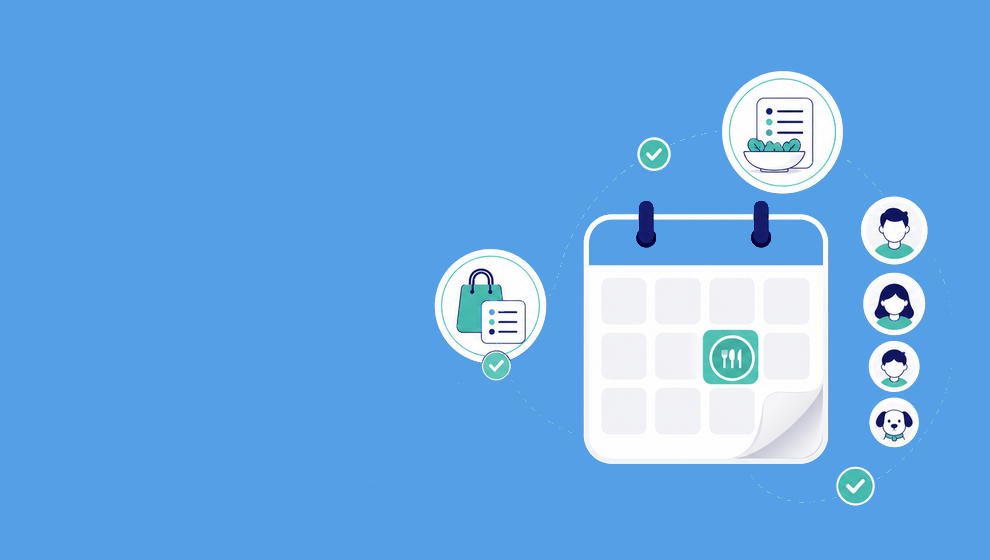
Once the date and time are chosen, Shareday can keep the rest of the plan close to that calendar decision. A selected family recipe can be planned onto the Family Calendar as a normal Event. During that planning flow, choose the date and time first, select the recipe for that slot, and assign or invite the relevant family members or child profiles.
That keeps Shareday’s role focused: the calendar holds the planned occasion, while the recipe provides the meal context. The Event remains linked to the recipe while the recipe exists. It does not decide who is free, choose a menu automatically, or guarantee attendance.
For readers comparing a family meal planning app, this is a useful distinction to look for. The calendar should be more than a list of meal names; it should give the selected dinner a clear date, time, and the people the household has chosen to involve.
Build the list after the dinner has a date
After the meal has a calendar home, create the linked Shopping List from the selected recipe’s ingredients during the planning flow. This turns the plan into a meal plan with shopping list without separating the ingredient task from the specific dinner it supports.
The list can have multiple rows and be assigned to relevant people. An assigned shopper can mark rows purchased or completed. That is the supported planning record—not a budget, pantry inventory, delivery service, or automatic purchasing system.
If you search for a recipe shopping list, the useful question is not only what ingredients to add. It is whether the list can stay connected to the meal date and recipe that prompted it. In Shareday, the recipe-linked Shopping List keeps that connection while the recipe exists.
Why calendar-first can be easier to repeat
A 2020 systematic review of family-meal research reported scheduling conflicts, exhaustion, and lack of time as barriers families described. The review also cautioned that much of the evidence it examined was correlational, so it cannot establish that family meals cause the outcomes sometimes associated with them.
That limitation is worth keeping in view. No calendar or app can promise to solve those barriers or create a particular family outcome. The practical takeaway here is narrower: if the household decides to plan a dinner, choosing the date first can reduce one disconnected decision. The recipe, relevant people, and ingredient list can then be organized around that chosen slot.
A short calendar-first routine in Shareday
Use this sequence for a dinner the household has already decided to plan:
- Look at the Family Calendar and choose a date and time for the meal.
- Select the family recipe that fits that slot and plan it as a normal Event.
- Assign or invite the relevant people.
- Create the recipe-linked Shopping List from the ingredients.
- Let the assigned shopper mark list rows purchased or completed.
This is one way to use the calendar as the first decision point in family meal planning. It is intentionally smaller than a complete household system: one scheduled dinner, one selected recipe, and one linked ingredient task.
For the broader saved-recipe-to-dinner workflow, read How to Turn a Saved Recipe Into a Real Family Dinner Plan.
FAQ
Should I choose the meal or the date first?
For a calendar-first approach, choose the date and time the household wants to use, then select the recipe that fits that slot. The American Heart Association’s guidance supports checking family work and activity schedules before choosing meal days.
Can Shareday put a selected recipe on the calendar?
Yes. Shareday can plan a selected family recipe onto the Family Calendar as a normal Event, with a chosen date and time. Relevant family members or child profiles can be assigned or invited during planning.
Can the ingredient list stay connected to the planned dinner?
Yes. During recipe planning, Shareday can create a recipe-linked Shopping List from the recipe ingredients. The list can be assigned, and its rows can be marked purchased or completed.
Does a calendar-first plan solve every dinner-planning problem?
No. It is an organizational method for choosing a dinner slot and keeping the selected recipe, relevant people, and ingredient list connected. It does not make health, time, cost, attendance, or household-outcome guarantees.