A Shared Family Recipe Catalog: Keep Favorite Recipes Searchable Before It’s Time to Plan Dinner
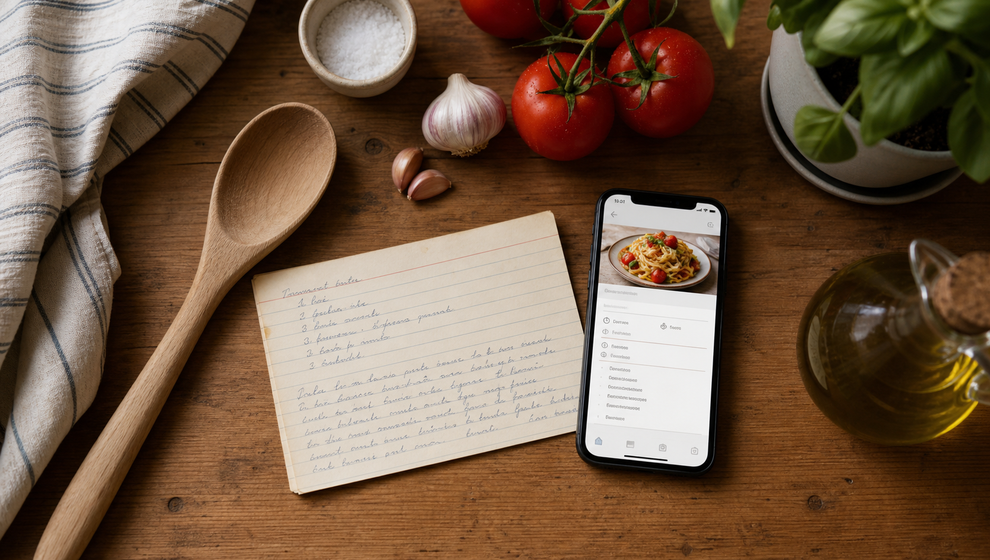
The recipes a household actually cooks rarely live in one place. One is in a browser tab, another is buried in a family message, and a third exists only as a photo of a handwritten card. When someone asks for “that pasta we all liked,” finding it can take longer than it should.
The useful first step is not deciding a menu. It is keeping the recipes worth revisiting in one shared place. Shareday’s Family Recipes feature gives a household a family recipe organizer for creating and finding recipe records before any planning begins.
Build a collection around the recipes your household returns to
A recipe collection becomes more useful when it holds the details needed to make the dish again, not just a link with an unclear title. In Shareday, a family recipe can include its title, source information, ingredients, and instructions. A hero photo can also be included where available.
That makes a family recipe collection practical for everyday use. Instead of saving a vague note such as “chicken thing from last month,” you can keep the source and the instructions alongside the ingredient list. The next time the recipe comes up, there is a clearer starting point for anyone in the family who opens it.
For recipes that already exist online, Shareday can import a recipe draft from a URL where supported. It is still worth checking the record and adding the information your household wants to keep. The goal is a catalog you can recognize and revisit—not a pile of links that slowly becomes harder to use.
Make a shared recipe book easy to search
A shared recipe book earns its place when a familiar dish is easy to retrieve. Shareday lets families search recipes by title, ingredients, and instructions.
That supports the way recipe questions usually arise:
- Search by title when you remember the dish’s name.
- Search by an ingredient when you remember what was in it.
- Search the instructions when you remember a distinctive step but not the recipe title.
Filtering or sorting can help shape the collection further where supported. These are small retrieval tools, but they matter when the collection has grown beyond a handful of favorites. A catalog should help you get back to a useful recipe with less guesswork.
Turn scattered saves into a digital family recipe book
A digital family recipe book does not need to replace the character of old recipe cards or the story behind them. It can simply give the household a consistent place to store the version it wants to make again.
One family might add a grandparent’s cake recipe manually, including the source note that explains where it came from. Another might save a dependable weeknight dish with its instructions intact. Over time, the collection can reflect the recipes the household knows, adjusts, and wants to remember.
Where supported, adult family members can upvote recipes and leave cooked feedback. That feedback can include an optional comment or photo where supported. Used thoughtfully, these details give a recipe record more context when someone is deciding which familiar dish to revisit.
What to add when you create a recipe record
Start with the information that will make the recipe recognizable and usable later:
- Give the recipe a clear title that your household will understand.
- Record its source information if it came from a person, website, or notebook.
- Include the ingredients and instructions so the recipe is not dependent on a separate message or tab.
- Add a hero photo where available if a visual reminder will help distinguish it from similar dishes.
- Review the wording after the first time you use it, so the stored version remains easy to follow.
This approach keeps the focus on the recipe itself. A complete, searchable record is easier to return to than a link that needs to be rediscovered and interpreted every time.
Why use a recipe catalog app for family favorites?
A recipe catalog app is most helpful when it fits the real job: keeping household recipes together and making them findable. Shareday supports creating family recipes and searching the shared catalog by title, ingredients, and instructions, so the collection can remain useful between the moments when you cook from it.
You do not need to move every recipe at once. Begin with the meals, baking projects, or inherited recipes your household asks for repeatedly. As those records become easier to find, you have a more reliable home for the recipes that matter to your family.
Frequently asked questions
What can I store in a Shareday family recipe?
Recipe records can include a title, source information, ingredients, and instructions. A hero photo may be included where available.
Can I find a recipe if I do not remember its title?
Yes. Shareday supports searching family recipes by title, ingredients, and instructions, so you can use the detail you remember to look through the catalog.
Can I add a recipe from a website?
Shareday can import a recipe draft from a URL where supported. Review the record after import and keep the details your household needs for later.
Is this only useful for new recipes?
No. The strongest place to start is often with familiar recipes you want to find again. A shared catalog gives those repeat favorites a consistent home.
If recipes are currently scattered across tabs, notes, and messages, start a shared collection in Shareday with the few dishes your household already reaches for most.