Busy families do not usually lose a plan because nobody cared. A task gets missed because the plan lived in five places at once: one message thread, one school email, one paper note, one parent’s memory, and maybe a calendar event that only one person saw.
Shareday is designed for a more practical pattern. Put the family plan into a shared space, assign the right people, and make it easier for family members to return to the actual task, event, shopping list, birthday, recipe, or conversation instead of hunting through scattered messages.
Notifications and feedback loops are part of that pattern. In Shareday, they are not framed as emergency alerts or guaranteed delivery. They are planning helpers: configured delivery attempts, supported routing back into planned items, and visible shared states that help a family notice what needs attention.
Why visibility matters after the plan is created
Creating a plan is only the first step. The harder part is the next day, when someone needs to remember who owns the grocery run, what time dinner is planned, which birthday gift ideas still need action, or whether a recipe has been turned into a shopping list.
A useful family organizer app should reduce the number of places a parent has to check. Shareday gives the family one shared private space where members, planned items, and family-facing context can stay together. That matters because family coordination often involves several types of work at the same time:
- a calendar event for a school meeting;
- a task for preparing documents;
- a shopping list for groceries or birthday gifts;
- a recipe planned as a meal event;
- a chat message with extra context.
When those pieces live close together, a notification can point a person back toward the plan instead of becoming another loose message to interpret.
Notifications start with clear ownership
Shareday supports planned items such as Tasks, Events, Shopping Lists, and Birthdays in the Family Calendar flow where available. Tasks can represent responsibilities, errands, chores, reminders, and other actions. Events cover time-bound plans. Shopping Lists cover purchases and errands. Birthdays can connect to gift ideas and birthday-linked shopping lists.
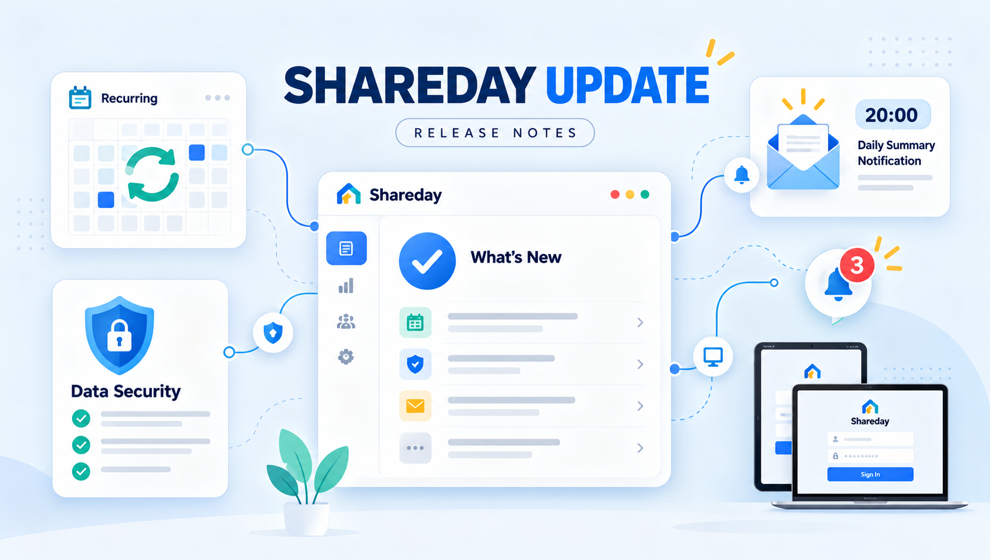
For notifications, the product source supports a careful claim: Shareday has push-token registration for app devices, and it supports push/email delivery attempts for newly assigned adult family members on planned items where configured. That wording is important. It means Shareday can help notify an assigned adult where that delivery path is configured, but the article should not promise universal, instant, or guaranteed delivery.
This is where Shareday differs from a simple family reminder app pitch. The point is not just that a reminder exists. The point is that the reminder is connected to a structured family item. When a parent is newly assigned to a task or event, the follow-through path can lead back into the planned item instead of leaving them with a vague message like “don’t forget.”
The calendar gives reminders somewhere to land
Notifications are easier to act on when the destination is clear. Shareday’s Family Calendar is the central planning surface for the product. It displays family planned items in one calendar, shows items by day and time, supports Tasks, Events, and Shopping Lists, and lets family members open planned items from the calendar.
For a parent comparing tools, this is the practical value of a shared family calendar app: the family can see plans by date, filter by family member or child profile, notice unassigned items where they exist, and open the relevant plan from the calendar context.
That structure helps with everyday questions:
- Who is assigned to the Saturday errand?
- Which child has activities this week?
- What tasks still need a responsible person?
- Which shopping list is linked to a birthday or recipe?
- What was this plan connected to in the first place?
The reminder is only one part of the loop. The shared calendar is where the family can check the plan again.
Feedback loops show what happened next
Family coordination does not end when someone receives a prompt. A plan needs feedback: assigned, opened, completed, updated, discussed, or connected to another planning object.
Shareday supports several grounded feedback paths:
- shopping list rows can be marked as purchased or completed;
- birthday-linked shopping lists can remain visible as normal planned Shopping List cards;
- recipe planning can create a normal Family Calendar Event and, where supported, a linked Shopping List from recipe ingredients;
- cooked feedback can be left on recipes where supported;
- Family Chat keeps text, photo, video, and voice conversation close to the same product context as calendar, tasks, shopping lists, birthdays, recipes, and check-ins.
That makes Shareday more than a place to store a date. As a family planner app, it helps a family keep the planned item and the follow-up context connected.
For example, one parent can create a shopping list for a specific date and assign it to the person who will shop. The shopper can open the list from the calendar or list context and mark rows as purchased or completed. After sync and rehydrate, the shared item can reflect that progress for the family. The key benefit is not a stronger notification claim; it is a clearer shared state.
Tasks work better when responsibility is visible
Household work often becomes invisible until something slips. “Can you handle this?” may be sent in a message, but later nobody remembers whether it became a real plan.
Shareday’s task model is built for family responsibilities, errands, chores, reminders, and other actions. Tasks can include a title, start time, duration, and notes. They can be assigned to no one, one person, multiple people, all relevant family members, or child profiles, and they display on the Family Calendar.
That is why Shareday can fit the intent behind a family task management app without sounding like workplace project management. Family tasks are not tickets in a corporate board. They are daily responsibilities that need a visible owner and a place in the family schedule.
When notifications are available and configured for newly assigned adult family members, the assignment can become easier to notice. When the task is on the calendar, the family can return to the structured item instead of restarting the conversation from memory.
Family Chat still has a role
Keeping plans structured does not mean every conversation has to become a form. Families still need quick discussion: a photo of a gift idea, a voice message about an errand, a video with context, or a short question about dinner.
Shareday includes Family Chat so communication can stay close to the rest of family planning. The useful distinction is that chat supports the conversation, while tasks, events, shopping lists, birthdays, and recipes remain in their own structured areas.
That separation matters. A message thread can explain why the plan matters. The planned item can show what needs to happen, when it happens, and who is connected to it.
A cautious way to think about Shareday notifications
For busy parents, the safest expectation is simple: Shareday can help make shared plans more visible, but it should not be treated as a guaranteed alerting system.
Use Shareday notifications and feedback loops for family planning follow-through:
- assign adult family members to planned items where appropriate;
- use the Family Calendar as the place to review what is coming;
- keep shopping progress inside the list instead of in a message chain;
- connect recipes to meal events and ingredient shopping lists where supported;
- use Family Chat for the discussion around the plan.
That is the practical promise: fewer scattered coordination threads, more shared context, and a clearer path back to the plan when someone needs to act.
FAQ
Does Shareday guarantee that every notification will be delivered?
No. The supported wording is push/email delivery attempts for newly assigned adult family members on planned items where configured. Delivery should be framed as a configured attempt and routing helper, not as a guarantee.
Can notifications route family members into the plan?
Shareday supports notification routing into planned items where supported. That helps keep the prompt connected to the relevant task, event, or other planned item instead of leaving the family to reconstruct context from a separate message.
What kinds of plans can Shareday keep visible?
Shareday’s Family Calendar supports Tasks, Events, and Shopping Lists. Supporting product areas also include Birthday Manager, Family Recipes, and Family Chat, which help keep birthdays, recipe planning, shopping preparation, and family discussion close to the planning flow.
Is Shareday an emergency or child-safety monitoring tool?
No. This article describes family planning notifications and feedback loops only. It does not position Shareday as an emergency alert, child-safety monitoring, medical, therapy, diagnosis, or crisis-detection product.