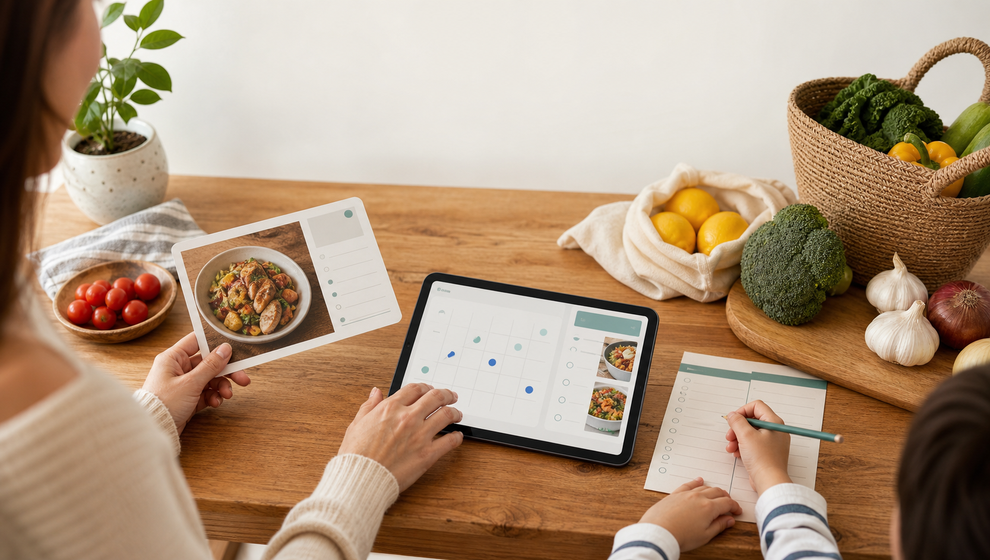
Family meal planning often falls apart in the space between the idea and the actual dinner. Someone saves a recipe. Someone else asks when it is happening. A grocery list starts in a note, a message, or someone else’s memory. By the time the meal is close, the family may know what they want to cook but still not know who is invited, when to start, or which ingredients are already handled.
Shareday is built for that middle part of family coordination. Instead of treating a recipe as a separate idea, Shareday can help a family connect the recipe to a real calendar event and a practical shopping list. The goal is simple: move from “we should make this sometime” to a planned meal with people, time, and ingredients in one family workflow.
Start with a recipe the family can find again
The first step is saving the recipe where the family can return to it. In Shareday, Family Recipes give the household a shared recipe catalog. A family member can create a recipe manually or import a recipe draft from a URL where that import is supported.
After that, the useful work is review. The family can keep the recipe title, source information, ingredients, instructions, and a hero photo where those details are available. That matters because a saved recipe is only helpful if the next person can understand it later. A dinner idea buried in a browser tab or chat thread is easy to lose; a recipe in the shared catalog becomes part of the family planning routine.
This is where family meal planning becomes less about making a perfect plan and more about reducing handoffs. The recipe is not just inspiration. It is something the family can use when they are ready to put dinner on the calendar.
Turn the meal into a normal family event
When the family is ready to cook, Shareday lets a recipe be planned onto the Family Calendar as a normal Event. That distinction is important. The meal is not isolated in a recipe area; it becomes part of the same calendar where the family already sees planned items.
For a parent or family organizer, this can make a meal planning calendar feel more realistic. Dinner can sit next to school meetings, errands, birthdays, practices, and other planned family items. The person planning the meal chooses the date and time, then treats the recipe dinner like any other time-bound family event.
That helps answer practical questions early:
- Is this a weeknight meal or a weekend meal?
- Who needs to be there?
- Does someone need to shop before the event?
- Does the meal conflict with another planned item?
- Should the event be visible for the whole family or only relevant people?
Shareday does not need to turn into a diet planner or automated meal-plan generator for this to be useful. The value is that a real meal can become a real family event instead of another loose idea.
Invite the right people while planning
A recipe meal is often more than food. One child may be home late. One parent may be shopping. Another family member may be cooking. Shareday supports assigning or inviting family members or child profiles during recipe planning, so the people connected to the meal can be part of the plan from the start.
This is especially useful in a shared family calendar app because family planning is rarely owned by only one person. The person who saved the recipe may not be the person buying ingredients. The person cooking may not be the one who needs the reminder that dinner is planned. By tying the recipe event to family members or child profiles, Shareday keeps the meal visible as part of the family’s shared schedule.
The article’s practical rule is this: plan the people at the same time as the meal. If the event is for everyone, make that clear. If it is connected to a smaller group, assign or invite only the relevant people. That reduces the need to explain the same dinner plan again later.
Create the shopping list from the recipe
The next gap is shopping. A recipe can be clear, and the dinner can be scheduled, but someone still needs to buy the ingredients. In Shareday, the recipe planning flow can create a linked Shopping List from the recipe ingredients.
That makes the grocery list from recipe step part of the same planning moment. Instead of copying ingredients into a separate app or sending a message with half the list, the family can create a recipe-linked Shopping List while planning the meal. If the flow supports serving or ingredient multiplier adjustments, those can be handled before the list is generated.
The generated list stays connected to the recipe planning context while the recipe exists. For the family, that means the recipe shopping list is not just a random checklist. It belongs to a planned meal event, with the date, invited people, and ingredients all pointing back to the same household plan.
This should be described carefully: Shareday is not a grocery delivery service, price comparison tool, pantry tracker, or nutrition advisor. Its role here is coordination. It helps the family turn ingredients into a shopping list that can be opened, assigned, and completed as part of the family plan.
Let the shopper work through the list
Once the Shopping List exists, the assigned shopper can open it and mark ingredient purchases as completed. That small completion state is useful because shopping is often where family meal plans get messy.
If one person buys onions, pasta, or milk, the rest of the family should not have to guess whether it happened. Marking rows as purchased or completed gives the family a shared view of progress as the list updates across the family’s shared plan. It is a cleaner workflow than scattered messages such as “Did we get basil?” or “I think we still need tomatoes.”
For busy families, the point is not to make dinner planning more complicated. The point is to make the path visible:
- the recipe is saved;
- the meal is scheduled;
- the right people are connected;
- the ingredient list is generated;
- purchases can be marked as completed.
Each step answers a real household question before it becomes a small source of friction.
A simple weeknight flow
Here is one practical way a family could use Shareday for a weeknight dinner:
- Save or create the recipe in Family Recipes.
- Review the title, source, photo, ingredients, and instructions where available.
- Plan the recipe as a Family Calendar Event for the night the family wants to cook.
- Assign or invite the family members and child profiles connected to the meal.
- Create the linked Shopping List from the recipe ingredients during planning.
- Assign the shopping responsibility if one person is handling the groceries.
- Mark purchased ingredients as completed while shopping.
- Open the calendar event later to return to the recipe context while the recipe exists.
That is the core Shareday idea for recipe-based planning: keep the dinner plan, the people, and the shopping preparation close together.
FAQ
Does Shareday automatically choose meals for the family?
No. This flow is about coordination after the family chooses a recipe. Shareday helps connect a saved recipe to a Family Calendar Event and a recipe-linked Shopping List; it should not be presented as an automated meal-plan generator.
Can Shareday make a grocery delivery order?
No grocery delivery, checkout, price comparison, or third-party grocery integration is claimed for this workflow. The supported angle is a shopping list that can be created from recipe ingredients during planning and used by the family.
What if a recipe URL cannot be imported?
The approved product wording is conditional: recipe drafts can be imported from a URL where supported. If import is not available for a source, the family can still create a recipe manually and keep the details that are available.
Why plan a recipe as a calendar event?
Because dinner happens at a time, with people, and with preparation. Planning the recipe as a normal Family Calendar Event helps the family see the meal next to the rest of the schedule instead of keeping it as a separate idea.
The practical takeaway
A family meal plan does not need to be complicated to be useful. The main job is to keep the important pieces from drifting apart. With Shareday, a saved recipe can become a scheduled meal, the relevant family members can be connected to it, and the ingredients can become a Shopping List that someone can actually complete.
For families that already coordinate around school, errands, birthdays, chores, and shopping, that connection is the point. Dinner moves from a saved idea to a shared plan.