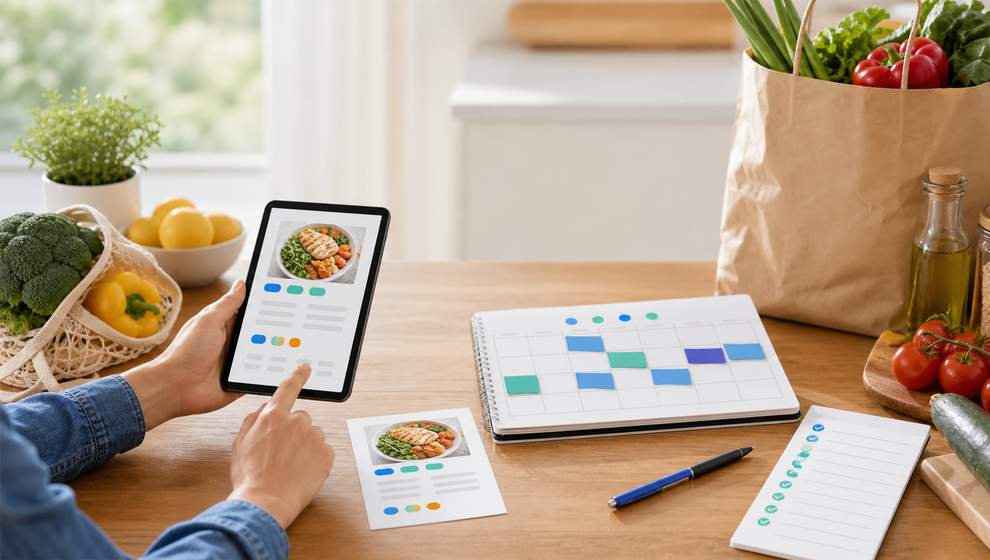
Dinner planning rarely begins as a perfect plan. More often, someone finds a recipe, saves a link, remembers who might be home that night, and then tries to turn that idea into an actual meal with groceries, timing, and people attached.
Shareday is built for that middle part of family coordination. Instead of treating a recipe as a note that sits apart from the calendar, Shareday can help a family move from recipe inspiration to a planned meal event and a connected shopping list. That makes it useful for families looking for a family meal planning app that keeps dinner plans close to the rest of family life.
The problem is not just choosing a recipe
Choosing what to cook is only one piece of the job. A recipe still has to answer a few practical questions:
- When are we making it?
- Who is joining?
- Who needs to buy the ingredients?
- Where does the list live after someone starts shopping?
- Can the family still find the recipe when the meal is on the calendar?
Those questions are easy to lose when the recipe is in one app, the date is in another calendar, and the shopping list is buried in a message thread. Shareday’s recipe planning flow is meant to keep those pieces connected.
Start with a family recipe
In Shareday, families can create recipes in a shared family recipe catalog. A recipe can include the title, source information, ingredients, instructions, and, where available, a hero photo. If supported by the flow, a family member can also import a recipe draft from a URL and then review or edit the details before saving it.
That matters because a saved recipe becomes more than an idea. It becomes something the family can return to, search for, and plan from later. A parent might save a quick pasta recipe for a school night. Another family member might add a soup recipe that worked well last weekend. Over time, the recipe area can become a practical family reference instead of a pile of scattered links.
For anyone comparing a recipe meal planning app, the important distinction is this: Shareday is not framed as an automatic meal generator. It supports a family workflow where a recipe can be saved, chosen, and then planned into the same calendar system the family already uses for other responsibilities.
Plan the recipe as a calendar event
When it is time to cook, Shareday can plan a recipe onto the Family Calendar as a normal Event. That keeps the meal beside other family plans rather than hiding it in a recipe-only view.
During recipe planning, the family can choose the date and time for the meal. They can also assign or invite relevant family members or child profiles, depending on the planning context. The meal then behaves like part of the family schedule: it has a place in the calendar, and family members can see it alongside tasks, events, shopping lists, birthdays, and other planned items.
This is where Shareday works as a meal planning calendar app for families who think in schedules, not just menus. A meal is not only “chili sometime this week.” It can be Friday dinner, connected to the recipe, with the right people included.
Create the shopping list from the recipe
A planned meal still needs ingredients. During the recipe planning flow, Shareday can create a linked Shopping List from the recipe ingredients. Where supported, the flow may also allow serving adjustment or an ingredient multiplier before the list is generated.
That linked list helps the family move from “we should make this” to “these are the things someone needs to buy.” Shopping Lists in Shareday can include multiple rows, can be assigned to one or more family members or child profiles, and can be displayed on the Family Calendar. As items are purchased, rows can be marked completed where supported by the shopping list flow.
This is the practical reason a family might look for a recipe shopping list app in the first place. A list is most useful when it stays connected to the meal it supports and can be opened by the person doing the errand.
What a connected dinner plan can look like
Here is a simple Shareday flow:
- A family member saves a taco recipe in the shared recipe catalog.
- Later, they choose to plan that recipe for Saturday dinner.
- Shareday creates a normal Family Calendar Event for the meal.
- The organizer invites or assigns the relevant family members or child profiles during planning.
- The organizer creates a recipe-linked Shopping List from the ingredients.
- The assigned shopper opens the list and marks items as purchased during the errand.
- The family can still find the meal on the calendar and keep the recipe context connected while the recipe exists.
The result is a family meal plan with shopping list support that does not rely on one person remembering which message, screenshot, or note contained the ingredients.
Why this helps families coordinate
Family dinners often involve more than cooking. Someone may need to check whether there is practice after school. Someone else may need to buy groceries. A child profile may need to be included in the plan. A parent may need to see whether dinner conflicts with another event.
By placing recipe planning inside the Family Calendar workflow, Shareday makes the plan easier to inspect. The meal can sit beside the rest of the day. Shopping can become a planned item instead of a loose reminder. The recipe stays connected to the event and list while the recipe exists, so the family is not rebuilding context every time someone asks what is for dinner.
This does not remove the real work of cooking or choosing meals. It simply gives the family a clearer structure for turning one recipe idea into a shared plan.
A calmer way to move from idea to dinner
Shareday’s approach is straightforward: save the recipe, plan it as a family calendar event, include the right people, and create the ingredient shopping list during the same workflow.
For families that already coordinate school, errands, birthdays, tasks, and shopping, that kind of connection matters. Dinner becomes one part of the family schedule instead of a separate planning problem.
FAQ
Does Shareday automatically generate meal plans?
No. The approved Shareday workflow is about saving or creating family recipes, then planning a selected recipe as a Family Calendar Event and creating a linked Shopping List from its ingredients. This article does not claim automatic weekly meal generation.
Can Shareday import recipes from a URL?
Shareday supports importing recipe drafts from a URL where supported. Because this capability is conditional, families should treat URL import as available only in supported flows and still review recipe details before planning.
Can a recipe become a calendar event?
Yes. Shareday can plan a recipe onto the Family Calendar as a normal Event. That lets the meal appear alongside the rest of the family’s planned items.
Can Shareday create a shopping list from recipe ingredients?
Yes. During recipe planning, Shareday can create a linked Shopping List from recipe ingredients. The list can then be used like other Shareday shopping lists, including rows that can be marked purchased or completed where supported.
Is Shareday a nutrition or diet app?
No. This article does not position Shareday as a nutrition, diet, weight-loss, or medical advice tool. The focus is family coordination: recipes, calendar events, assigned participation, and shopping lists.