From Recipe to Calendar: Build a Family Meal Plan With a Shopping List
A recipe can be easy to save and still hard to turn into a real family plan. Someone needs to choose a night, make sure the right people know about it, and gather the ingredients. When those steps live in separate places, the recipe often loses its context before dinner ever happens.
Shareday’s Family Recipes feature is designed to keep that chain together: save a recipe in the shared family catalog, plan it as a normal Family Calendar Event, invite the people involved, and create a linked Shopping List from the recipe ingredients. It is a practical way to handle one planned meal without treating the calendar, recipe, and purchases as unrelated chores.
Start with a recipe the family can return to
The first step in family meal planning is having a recipe the family can find again. In Shareday, family recipes can be created and saved in a shared recipe catalog. A recipe can include its title, source information, ingredients, instructions, and a hero photo where available. Recipe drafts may also be imported from a URL where that option is supported.
That shared starting point matters. Instead of a recipe link disappearing in a message thread or being saved on only one person’s device, the family has a recipe record that can be searched later by title, ingredients, or instructions.
This is not an automatic meal-planning service. The family still chooses what to cook and when. The benefit is that, once a recipe is chosen, the planning details can stay connected to it.
Turn the recipe into a calendar plan
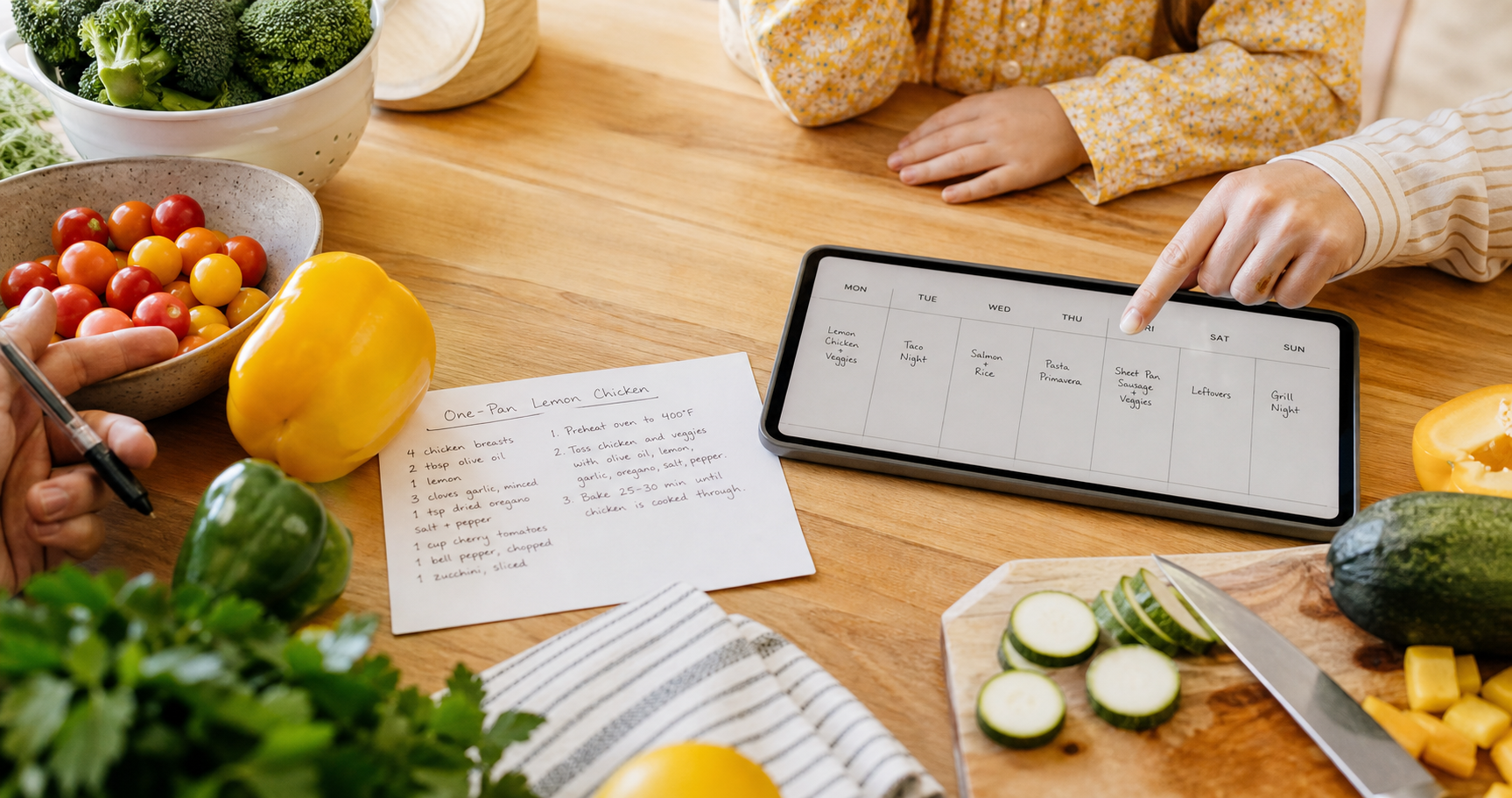
When it is time to cook a saved recipe, a family member can choose to plan it in Shareday. The result is a normal Family Calendar Event—not a separate recipe-only object—so it belongs alongside the rest of the family’s plans.
During that planning flow, the family can:
- select a date and time for the meal;
- assign or invite the relevant family members or child profiles;
- keep the planned meal visible in the Family Calendar; and
- create a Shopping List from the recipe’s ingredients.
This is the useful difference between a recipe collection and a recipe meal planner built around the family’s actual schedule. A recipe is no longer just inspiration; it has a time on the calendar and a clear set of people connected to the plan.
For example, a family might save a pasta recipe on Sunday, plan it for Wednesday evening, and invite the family members who need to know dinner is planned. The meal appears as an Event, while the recipe context remains accessible through the connection as long as the recipe exists.
Create the ingredient list when you plan the meal
The shopping step is often where a meal plan becomes vague. A person remembers the recipe, another person is already at the store, and the ingredient list is either incomplete or buried somewhere else.
Shareday lets the user choose to create a linked Shopping List from the recipe ingredients during recipe planning. That makes recipe to shopping list a deliberate part of the same workflow: the family selects the saved recipe, plans the meal, and creates the list when it is needed.
If the relevant flow supports it, the user may adjust servings or the ingredient multiplier before generating the list. That option should be treated as conditional, not assumed for every recipe or planning flow.
The Shopping List is a planned family item in its own right. It can be assigned to the person handling the errand, and the assigned shopper can mark ingredient rows as purchased or completed through the linked Shopping List flow where supported. No grocery delivery, retailer connection, or price comparison is required for this workflow.
Keep the plan clear for the people involved
A good meal planning shopping list does more than list ingredients. It gives the family enough context to act without asking the same questions again: What are we making? When is it planned? Who is involved? What still needs to be picked up?
With Shareday, the recipe-linked Event and recipe-linked Shopping List stay connected to the recipe while it exists. That relationship helps preserve the context behind the plan:
- the Event represents the scheduled meal in the Family Calendar;
- the recipe holds the ingredients and instructions the family saved; and
- the Shopping List supports the ingredient-purchase step.
Each part has a distinct job, but the family does not have to reconstruct the connection manually every time. This is particularly helpful when one person is planning dinner and another person is doing the shopping.
What to look for in a meal planner with grocery list features
People searching for a meal planner with grocery list often want fewer handoffs between deciding, scheduling, and shopping. The phrase can mean many things, so it helps to look beyond the label and ask a few practical questions:
- Can you save a recipe the family wants to make again?
- Can you put that meal on the shared calendar at a specific date and time?
- Can you include the people who need to see or help with the plan?
- Can you create a Shopping List from the recipe ingredients during planning?
- Can the person shopping mark items complete where the list flow supports it?
For Shareday, the answer is centered on the saved-recipe-to-planned-event workflow. It is not a promise of automatic menus, dietary recommendations, delivery, or store integration. It is a way to coordinate a chosen recipe as a shared family plan.
A simple weekly rhythm for one planned meal
You do not need to plan every meal for the week to make the workflow useful. Start with one meal that tends to create last-minute coordination:
- Save or create the recipe in the family catalog.
- Open the recipe when the family decides to make it.
- Plan it as a Family Calendar Event for the chosen date and time.
- Assign or invite the relevant family members or child profiles.
- Choose to create the linked Shopping List from the recipe ingredients.
- Assign the list if someone else will shop, then use the list’s completion flow where supported.
Over time, this small routine can make a shared recipe easier to act on. The family keeps the recipe, the planned meal, and the ingredient list in a connected structure instead of rebuilding the plan across notes, messages, and reminders.
FAQ
Does Shareday automatically create a full meal plan?
No. The family chooses a saved recipe and chooses when to plan it. Shareday supports turning that selected recipe into a normal Family Calendar Event and, during planning, creating a linked Shopping List from its ingredients.
Can I invite family members to a planned recipe?
Yes. During recipe planning, relevant family members or child profiles can be assigned or invited to the meal Event.
Can a recipe become a shopping list?
During recipe planning, the user can choose to create a linked Shopping List from the recipe ingredients. Ingredient rows can be marked purchased or completed through the linked Shopping List flow where supported.
Can I import recipes from a website?
Recipe drafts can be imported from a URL where supported. Families can also create recipes manually and save their own recipe details in the shared catalog.
Make the next family meal easier to coordinate
The value of a planned family meal is not only in choosing a recipe. It is in carrying that choice through to a date on the calendar, the people involved, and the ingredients to buy. Shareday keeps those steps connected around the recipe the family has chosen—so the plan is easier to see, share, and carry out.