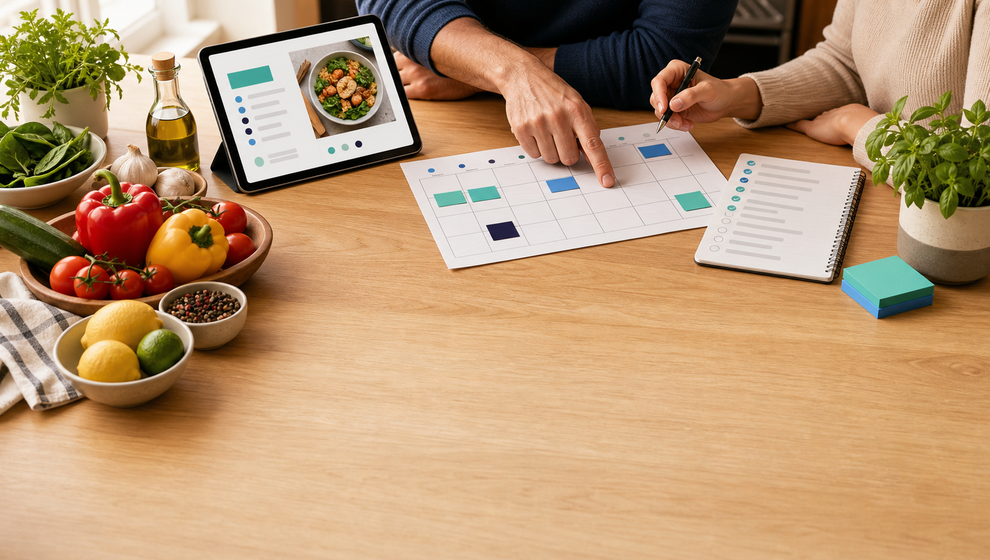
A saved recipe is useful. A saved recipe that the whole family can turn into dinner is better.
For many households, the hard part is not finding another dinner idea. It is turning that idea into a plan: choosing when to cook it, knowing who is joining, deciding who needs to shop, and making sure the ingredients do not stay trapped inside a recipe page.
Shareday Family Recipes is built around that practical handoff. It gives the family a shared place to keep recipes, then connects a chosen recipe to the Family Calendar and a linked Shopping List. Instead of treating recipes, schedules, and groceries as separate chores, Shareday helps the family move from “we should make this” to “this is on the calendar, these people are included, and the ingredients have a list.”
Start with a shared family recipe organizer
Recipes often live in scattered places: a bookmark, a screenshot, a note, a forwarded link, or someone’s memory. That works until another family member needs the same recipe or until the person who saved it is not the one doing the shopping.
Shareday gives the household a shared recipe catalog. Family members can create family recipes manually, and they can import recipe drafts from a URL where supported. A recipe can store the title, source information, ingredients, instructions, and a hero photo where available. Recipes can also be searched by title, ingredients, and instructions, with filtering or sorting available where supported.
That makes Shareday useful as a family recipe organizer without pretending every meal needs a complex system. The goal is simple: keep the recipes your family actually uses in a place where the family can find them again.
Shareday also supports family-specific feedback around recipes. Adult family members can upvote recipes, and cooked feedback with an optional comment or photo may be available where supported. For a busy household, that can help separate “saved once” from “worth cooking again.”
Plan a recipe on the Family Calendar
Saving a recipe is only the first step. The real planning starts when the family decides when that recipe will become a meal.
In Shareday, a recipe can be planned onto the Family Calendar as a normal Event. That matters because dinner is rarely separate from the rest of family life. It competes with school pickups, errands, chores, birthdays, work schedules, and whatever else is already on the calendar.
When a recipe becomes an Event, the family can choose a date and time for the meal. They can also assign or invite the relevant family members and child profiles during planning. Shareday does not need to turn dinner into a separate recipe-only object. It can sit where the family already reviews planned items.
That is the useful part of a meal planning calendar app: the meal plan is not just a private note. It becomes part of the shared family schedule.
Create a shopping list from the recipe
The next question is usually practical: what do we need to buy?
During recipe planning, Shareday can create a linked Shopping List from the recipe ingredients. That gives the family a direct way to make a grocery list from recipes instead of copying ingredients into another note by hand.
The Shopping List remains a normal Shareday planned item. It can include multiple rows, be assigned to one person, multiple people, all relevant family members, child profiles, or no one, and appear on the Family Calendar. Items can be marked as purchased or completed.
This is where Shareday works like a recipe shopping list app for family coordination. It does not imply grocery delivery, price comparison, pantry tracking, checkout, or outside grocery integrations. It simply keeps the recipe ingredients connected to a list the family can use.
Assign the people involved
Meal planning is rarely just about the person cooking. Someone may choose the recipe, someone else may shop, and another family member may need to know when dinner is planned.
Shareday’s recipe planning flow supports assigning or inviting family members and child profiles. That keeps the plan visible to the people involved without relying on side conversations.
For example, one adult can save a pasta recipe, plan it for Thursday evening, invite the family members who are part of the meal, and create the ingredient Shopping List during the same flow. The assigned shopper can then open the list and mark items as completed. Later, family members can open the meal Event from the calendar and still access the recipe context while the recipe exists.
This is the difference between a recipe being stored and a recipe becoming a shared family plan.
Keep the recipe, event, and list connected
The strongest part of the workflow is the connection between the objects:
- the recipe stays in the family recipe catalog;
- the planned meal appears on the Family Calendar as an Event;
- the ingredient Shopping List is created from the recipe during planning;
- the recipe-linked Event and Shopping List stay connected to the recipe while the recipe exists.
That connection reduces the small bits of repeated work that usually surround family meals. You do not need one place for the recipe, another place for the schedule, and another place for the grocery task with no context. Shareday keeps the pieces close enough that the family can understand the plan later.
What Shareday does not try to replace
Shareday Family Recipes is about household coordination. It is not a nutrition planner, diet coach, calorie tracker, grocery delivery service, price comparison tool, pantry manager, or AI meal recommendation system.
That boundary is important. Families already have enough noise around food planning. Shareday’s role is narrower and more practical: help a family save recipes, schedule a meal, include the right people, and prepare an ingredient-based Shopping List.
If you are comparing tools and searching for a family meal planning app, that distinction can help. Some products focus on diets, automated recommendations, or grocery commerce. Shareday focuses on the family coordination layer around the meal.
A simple way to use Family Recipes this week
If your household already has recipes scattered across notes, browser tabs, or messages, start small:
- Add one recipe your family actually wants to cook again.
- Review the title, source, ingredients, instructions, and photo where available.
- Plan the recipe onto the Family Calendar as a meal Event.
- Assign or invite the family members and child profiles involved.
- Create the linked Shopping List from the recipe ingredients during planning.
- Let the shopper mark ingredients as completed.
- After the meal, leave cooked feedback where supported so the family knows whether to repeat it.
One planned recipe is enough to show the value of connecting the pieces. The recipe becomes easier to find, the meal has a time, the right people are included, and the ingredient list has a place to live.
FAQ
Can Shareday save recipes for the whole family?
Yes. Shareday Family Recipes gives the family a shared recipe catalog. Family members can create recipes, search saved recipes, and use recipe details such as ingredients and instructions. URL import is available only where supported.
Can a recipe become a calendar event?
Yes. A recipe can be planned onto the Family Calendar as a normal Event. During planning, the family can choose the date and time and assign or invite relevant family members or child profiles.
Can Shareday create a shopping list from recipe ingredients?
Yes. During recipe planning, Shareday can create a linked Shopping List from the recipe ingredients. The list can then be used like other Shareday Shopping Lists, including marking items as purchased or completed.
Does Shareday handle grocery delivery or nutrition planning?
No claim is made here that Shareday provides grocery delivery, price comparison, pantry tracking, calorie tracking, diet coaching, nutrition planning, or medical guidance. The Family Recipes workflow is focused on saving recipes, planning them on the Family Calendar, assigning or inviting family members, and creating linked Shopping Lists from ingredients.