Parents often arrive at shared planning with a calendar problem that is not really about calendars.
One parent has school events in Google Calendar. Another has work travel on an Apple calendar. A caregiver has notes in a paper planner. A birthday reminder sits somewhere else. Dinner plans live in a recipe tab, and the shopping list is still in a message thread.
Bringing outside plans into one place can help, but only if the household can understand what each plan means. Before any calendar sync becomes useful, a family has to answer simpler questions: Who needs to see this? Who owns it? Does it need a task, a shopping list, a birthday reminder, or a recipe plan attached to it?
That is where Shareday is useful as a family organization app. It gives the family one shared context for planned Events, Tasks, Shopping Lists, birthdays, and recipe-linked plans, with member visibility, colors, and assignments. The goal is not to make every private calendar item public. The goal is to turn the right plans into family-readable coordination.
What recent calendar habits teach families
Three useful ideas show up across recent calendar writing, even when the products being discussed are different.
WIRED’s article about a touchscreen family calendar focuses on the practical value of visibility: when the whole family can see the schedule, color-coded by person or responsibility, the calendar becomes part of daily household coordination. The same piece connects planning to shopping and meal workflows, which is important because many family plans create work outside the calendar box.
Consumer Reports, in its coverage of digital wall calendars, makes a related point: the schedule helps more when it is easy for the household to see during the day. The technology matters, but so does whether the plan is visible where decisions happen.
Calendly’s guide to sharing Google Calendar explains a different but equally useful habit: families should think carefully about visibility and edit permissions. When personal and family details overlap, sharing everything is rarely the cleanest answer.
Together, these ideas point to one practical rule: outside calendars should be treated as inputs, not as the finished family plan.
Start by deciding what belongs in the family plan
Before importing, exporting, copying, or sharing anything, separate private schedule details from family-facing plans.
A work meeting may not belong in the family plan. A late work night that changes dinner, pickup, or bedtime responsibilities probably does. A child’s class party may need to be visible to everyone, but the details that matter in a family calendar app are usually the time, the assigned adult, the supplies to buy, and any preparation task.
For each outside plan, ask:
- Does more than one family member need to know about it?
- Does someone need to take action before it happens?
- Is one person responsible, or is responsibility still undecided?
- Does the plan involve shopping, a recipe, a birthday, or a related errand?
- Should it stay private in the original calendar instead?
This keeps a shared family calendar from becoming a dump of personal events. It also protects the family from a different problem: under-sharing the plans that affect everyone.
Make responsibility visible, not implied
Color-coded calendars are useful because they reduce interpretation. But color is only part of the habit. The stronger habit is making responsibility explicit.
In Shareday, planned Tasks, Events, and Shopping Lists can be assigned to no one, one person, multiple people, all relevant family members, or child profiles. That matters because family planning often starts before the household knows who will handle the job.
A school event can become an Event assigned to the parent or caregiver attending. “Bring snacks” can become a Task. “Birthday gift” can stay unassigned until the family decides who will shop. Dinner can become a recipe-linked Event, with a Shopping List created from ingredients where that planning flow supports it.
Unassigned items are not a failure. They are a useful signal. They show the family which plans still need a decision.
Connect the calendar to the work around the plan
One reason household calendars get messy is that the calendar holds the time, while the work lives somewhere else.
A dentist appointment may require a form. A birthday may require gift ideas and a Shopping List. A family dinner may require choosing a recipe and buying ingredients. If those related actions live in separate notes, texts, and memory, the calendar looks organized while the family still feels scattered.
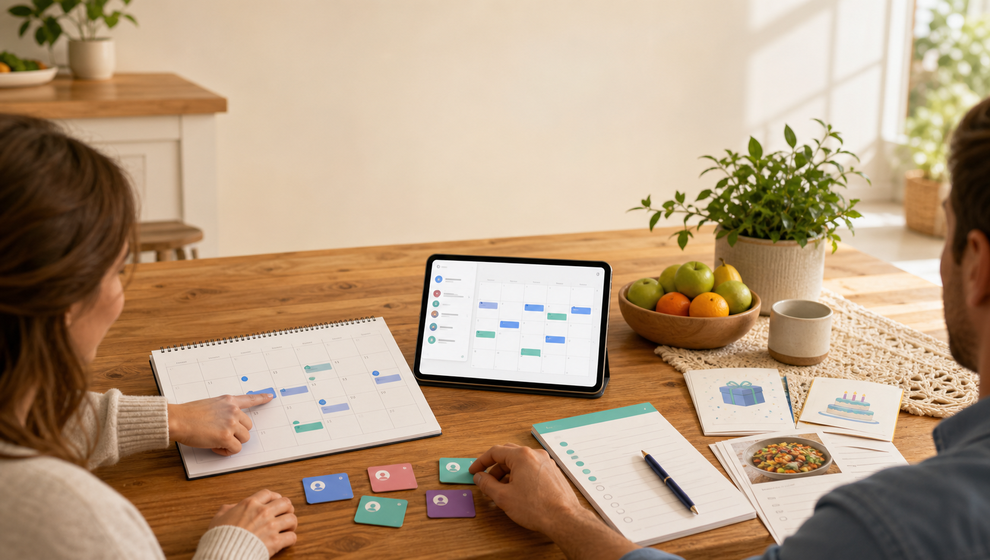
Shareday’s Family Calendar supports Task, Event, and Shopping List item types. Birthdays can appear in calendar contexts, Birthday-linked Shopping Lists can hold gift ideas, and recipe planning can create a normal calendar Event with a linked Shopping List for ingredients where supported by the flow.
That structure helps a synced or copied calendar item become more than a time block. It can become a family plan with the related action close by.
Treat Google sharing as a permission decision, not a family plan
Families searching for google calendar family sharing often need two things at once: a way to share calendar visibility, and a way to decide what the household should actually do with that information.
Those are different decisions.
Google Calendar’s own sharing controls determine what another person may see or edit in Google Calendar. Shareday should not be treated as a replacement for those Google permissions, and it should not be described as managing them. The safer habit is to decide which Google-sourced plans belong in the family context, then turn those into Shareday items only where supported flows are enabled.
The same caution applies to Apple Calendar. Shareday’s product source supports Apple Calendar settings/import/export flows where platform permissions and enabled flows support them. That does not mean every Apple Calendar setup is automatically available in every situation.
Use sync to keep family plans current
Calendar sync is most useful after the family has made the plan understandable.
Shareday supports backend-synced family planned items, local-first iOS planned-item storage and mutation outbox, and calendar state rehydration from backend after sync or websocket events. Sync can help the family see the current plan across devices. It cannot decide whether a private appointment should become a shared Event, whether a task is assigned to the right person, or whether a shopping list belongs with a birthday or recipe.
A simple pre-sync cleanup for families
Before bringing outside calendar plans into Shareday, try this review:
- List the outside calendar items that affect the household.
- Remove items that are private or irrelevant to family coordination.
- Turn time-bound plans into Events.
- Turn preparation work, errands, and reminders into Tasks.
- Turn purchases into Shopping Lists.
- Attach birthday gift ideas to birthday-related planning where that flow fits.
- Use recipe planning when a meal plan needs an Event and ingredients list.
- Assign each item to the right family member, or leave it unassigned when responsibility is still open.
- Use member colors and filters to check whether one person is overloaded.
- Revisit the shared plan after sync or calendar refresh to make sure it still reads clearly.
What Shareday adds to outside calendars
Outside calendars are good at holding schedule data. Shareday is built around the shared family context around that data: family members as visible planning actors, member colors and assignments, Events, Tasks, Shopping Lists, birthdays, recipe-linked plans, filters, and unassigned items when ownership is not decided.
This is why a synced plan should not stop at the event title. The useful version of the plan says what is happening, who it affects, who owns the next action, and what related family item belongs with it.
FAQ
Should every outside calendar item go into Shareday?
No. Family planning works better when the shared space contains plans that affect the household. Private or low-relevance items can stay in the original calendar.
Does Shareday replace Google Calendar sharing controls?
No. Google Calendar permissions still belong to Google Calendar. Shareday can be used for family-facing planned items and supported Google import/export flows where enabled, but it should not be described as managing Google permissions.
Can Shareday help if responsibility is undecided?
Yes. Shareday planned items can be left unassigned when the family has not decided who owns them yet. That makes open responsibility visible instead of hidden.
Why connect tasks and shopping lists to calendar planning?
Because family plans often create work. Keeping those related items near the plan makes the household schedule easier to act on.
The better goal: a calendar the family can use
A shared calendar is not useful just because it contains more items. It is useful when the family can read it quickly and know what to do next.
Before bringing outside calendar plans into Shareday, clean up the meaning behind the schedule. Decide what belongs in the family plan. Make ownership visible. Connect Events to Tasks, Shopping Lists, birthdays, and recipes when they create related work. Then sync has a clearer job: keeping an understandable family plan current.